New harmon.ie
 Save, Find, Manage, and Share OneDrive Content
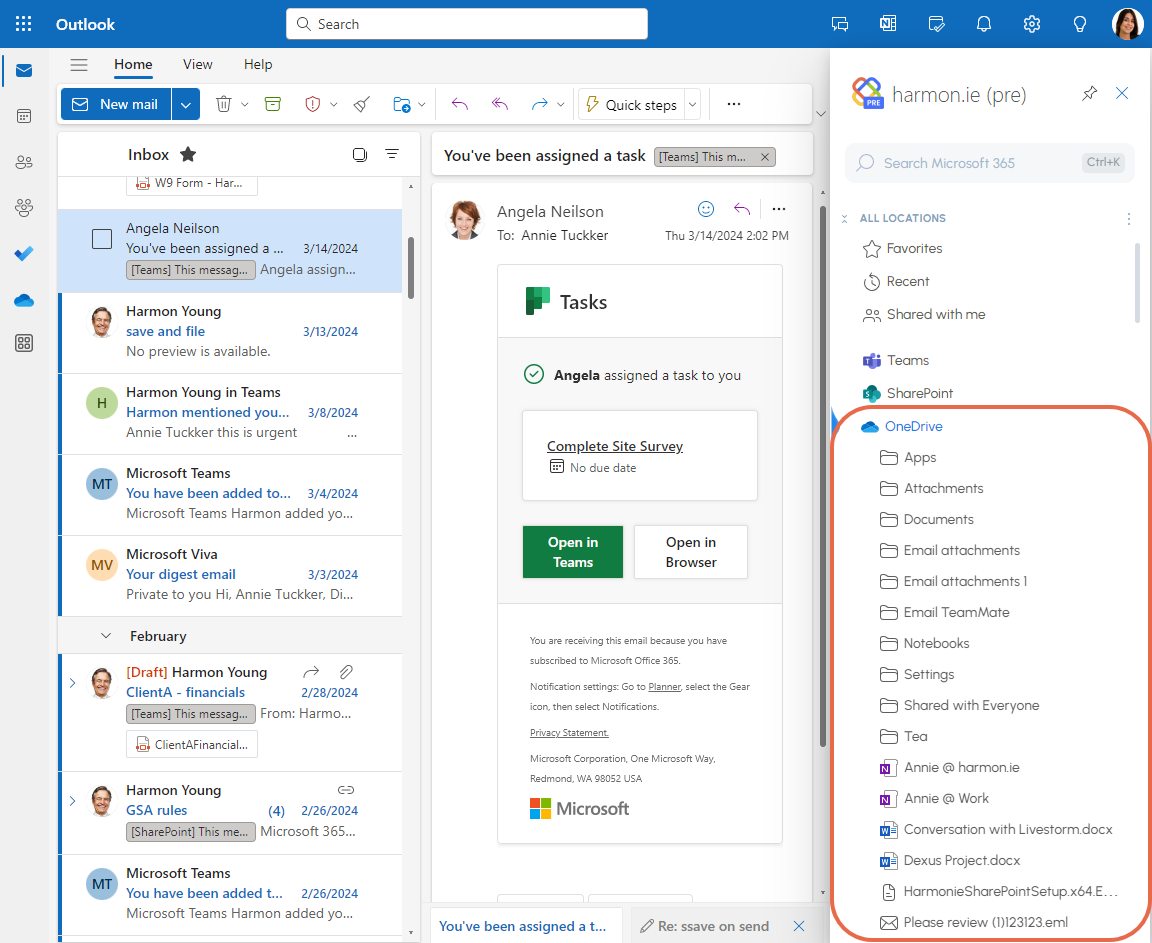
New harmon.ie allows you to easily navigate through your OneDrive locations. Save, search, share, and manage your OneDrive files from a sidebar in Outlook or a desktop app.
How to view your OneDrive locations and files
- In harmon.ie, click the Home icon (
 ) to open the Home view.
 - Expand OneDrive to see your OneDrive locations and files.
From here you can:
- Navigate through your OneDrive locations and files: Use the Expand / Collapse arrows.
- Open: Double-click a location or file to open it.
- Save email or attachment to OneDrive, Share, Add to favorites, and more: Hover over location or file, or right-click for more actions.
- Open the full OneDrive view: Double-click OneDrive, or right-click it and select Open.
OneDrive – full list view
Double-click OneDrive to open the full list of OneDrive locations and files.
From here you can:
- Search for OneDrive files and locations.
- Open: Double-click a location or file to open it.
- Share, Open in browser, Save email, create new files or folders, select view, and more: Click the actions at the top of the view.