“harmon.ie is taking the pain out of SharePoint use, and that’s a vital step in facilitating project work and ensuring that documents and correspondence are available for long-term use.”
“harmon.ie enables our team to collaborate more efficiently on the documents, and with a high degree of confidence they have all relevant correspondence at their fingertips.”
Federic Guinet
IT Director of the Federal Banking Federation
CSIRO
“Our personnel can literally just stay in their Outlook pane to transfer emails and documents to SharePoint, as well as access all information stored in their inbox or SharePoint.”
Service Manager at the Commonwealth Scientific and Industrial Research Organization (CSIRO)
“By requiring us to complete mandatory metadata, harmon.ie makes it easier to find important documents and emails when we need them to support our goal of making sure the hospital can provide the best possible care for our community”
Debbie Garrick
Operations Coordinator at Women's and Children's Hospital Foundation
“harmon.ie has significantly boosted our teams’ adoption of SharePoint, which has improved how we share project information which is so vital in an industry like construction”
“We saw that a harmon.ie and SharePoint solution covers 95% or almost 100% of our needs… it’s much more cost efficient than a specialized third-party solution.”
“Our users no longer avoid using SharePoint. Instead, they’re now saying they love to use the platform, with the help of harmon.ie.”
Laurence Arterton
Head of Client Support & ICT Services at UNISON
RSPB
“Using harmon.ie is helping us better manage our information, especially the really important stuff. The documents we need to keep, like our records and any corporate information, are easier to access and more secure.”
Jenny Sinclair
Lead Information Manager at the Royal Society for the Protection of Birds (RSPB)
“For certain functionality, such as uploading of multiple documents or other operations on multiple documents, we found the harmon.ie interface nicer than SharePoint’s, and more user friendly.”
Section manager at the European Aviation Safety Agency (EASA)
“People are not going to change. If you want them to use SharePoint, you have to make it easy for them to capture, classify, and find emails and documents. harmon.ie is the key.”
Mario Gaulin
Director of Enterprise Information Solutions at Agriculture and Agri-Food Canada (AAFC)
“When the evaluation period ran out, we had employees saying, ‘Give me this product now.’ Because it was such a great product for them, and it made their lives there easier.”
Phillip Worrell
ICT Engineer and Business Analyst at the Global Fund
“Every single tour we do features harmon.ie, because it does make working with documents and SharePoint so much easier… Once people see harmon.ie, they want it.”
“harmon.ie enables our employees to do information management without knowing they are doing information management… And that makes all the difference.”
Alexandre Singh
Executive Director Business Solutions and Information Management at Employment and Social Development Canada (ESDC)
“Our users are very happy. Using harmon.ie from within Outlook is smooth, intuitive, and most importantly, it does not require a training program. harmon.ie focuses on the needs of the business user.”
Deborah Beury
Director of Collaboration and Specific Application at Vinci Energies
ESDC
✔️ “OMG! Best day of my life – getting harmon.ie!!!”
✔️ “So much easier to be able to search all repositories in one simple search”
✔️ “Drag and Drop is the BEST function of harmon.ie by FAR.”
✔️ “harmon.ie is awesome, the “Recent” list will make your day easier!!!”
Business users at Employment and Social Development Canada (ESDC)
“harmon.ie’s solution works very well and the fact that your metadata is directly written from your email just by dragging and dropping into SharePoint is very important for our users, as it saves time and ensures higher levels of adoption for the platform.”
Daniel Stuch
Bosch Senior Project Leader Application Development and Rollout at Bosch
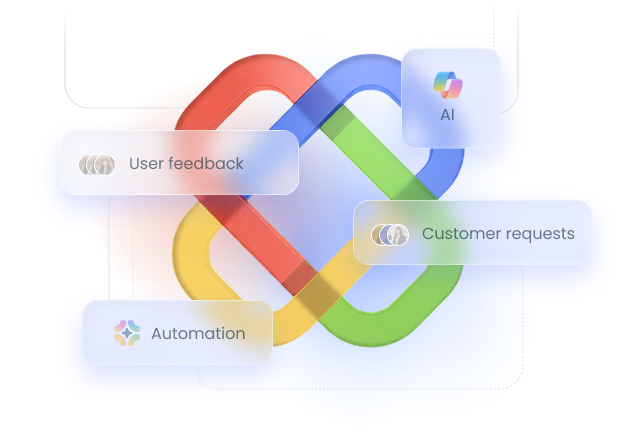
Email automation keeps saving emails to SharePoint and Teams for you, so you don’t file the same kind of email by hand again. Save one email in a conversation and every new message in it is saved to the same place, turn on a suggested rule for a sender you save often, or keep saving every new email that lands in an Outlook folder. With the harmon.ie Desktop app, automation runs on a schedule in the background, even when Outlook is closed. Learn more
Does harmon.ie work with Microsoft 365 Copilot?
Yes. New harmon.ie integrates with Microsoft 365 Copilot, now in beta: ask in plain language to find emails and documents across SharePoint, Teams, and OneDrive, or summarize any email or document without opening it. Requires a Microsoft 365 Copilot license.
Does harmon.ie work with the New Outlook and Outlook Web App?
Yes — New harmon.ie is a web add-in that works with Outlook for Windows (new and classic), Outlook on the Web, and Outlook for Mac.
Where are my emails and documents stored?
All content saved with harmon.ie stays inside your organization’s Microsoft 365 environment — in SharePoint, Teams, or OneDrive. harmon.ie does not store or transmit your data externally.
How do I deploy harmon.ie to multiple users?
Administrators deploy the New harmon.ie Outlook add-in centrally through the Microsoft 365 admin center, and the Desktop app through Microsoft Intune. harmon.ie Classic is an .msi package that deploys through tools such as Microsoft Intune, SCCM, or Active Directory. See the deployment guides for New harmon.ie or for harmon.ie Classic.
Can I try harmon.ie for free?
Yes. You can try New harmon.ie free for up to 21 days, and one trial covers both the Outlook add-in and the Desktop app. No credit card required. For an enterprise trial, a guided trial for multiple users, contact us.
Is support available for customers?
Absolutely. harmon.ie provides dedicated support, onboarding assistance, and admin documentation to help you deploy and manage successfully.
Does harmon.ie support SharePoint on-premises?
Yes — harmon.ie Classic (works inside classic Outlook for Windows) supports SharePoint on-premises as well as SharePoint Online.
What's the difference between New harmon.ie and harmon.ie Classic?
New harmon.ie is our current product: an Outlook add-in for Outlook for Windows (new and classic), Outlook on the Web, and Outlook for Mac, plus a Windows Desktop app, with email automation and Microsoft 365 Copilot integration. harmon.ie Classic remains available for SharePoint on-premises and classic Outlook for Windows. Both are included in every license. Compare the products
Put your email management on autopilot
Try New harmon.ie free for 21 days. No credit card.